Posted in WordPress Buzz

How to Add Search Bar to WordPress Blog

Steps

  1. Go to your WordPress page
  2. Left top corner of your screen click on “My sites”
  3. On the slide bar at the bottom look for “WP Admin” and click there.
  4. Hover your mouse over “Appearance” and click on “Widgets”
  5. The top right corner of the page find “Enable accessibility mode” and click there.
  6. Scroll down and look for “Search” click Add next to it.
  7. Give a name to your widget and choose a position for search bar, then click “Save Widget”

And you are done.

Posted in Foodie

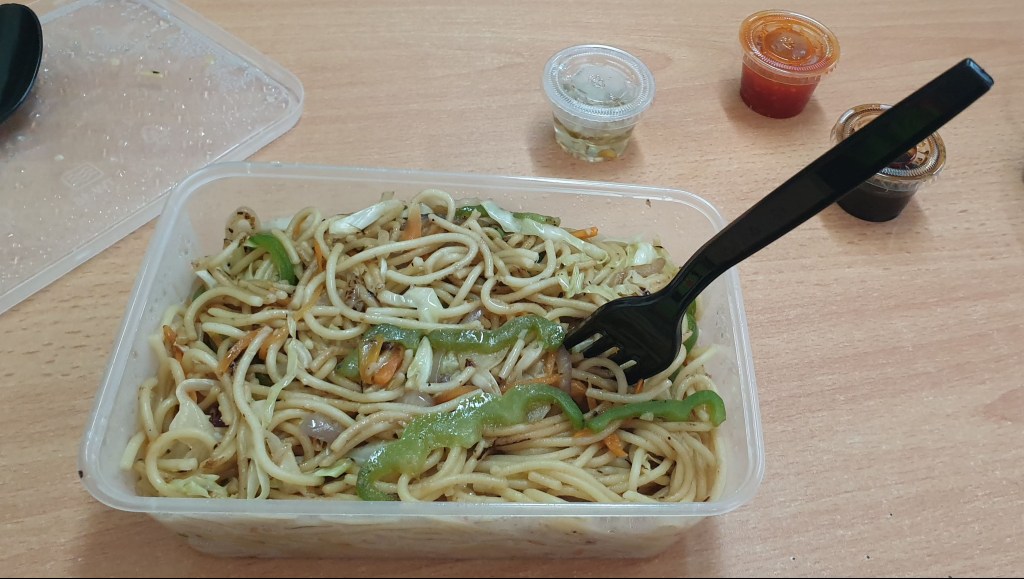
Zomato Food Delivery Qatar, Ginger Club, Hakka Noodles

Ginger Club Menu, Reviews, Photos, Location and Info - Zomato
Cuisine: Chinese, Thai
Location: Ginger Club, Wathan Mall, Muaither, Doha
Packing: 4/10
Delivery Guy: 8/10
Delivery Time: 60min
Price: $
Overall: 4/5

Ordered a Veg Hakka Noodles through Zomato, Order value was reduced
from 18 QR to 9 QR with a Promo code (That was Cool). Paid 5 QR for delivery charges
as they mention during check out.
Delivery guy took my location with WhatsApp and I received the order
in almost 60 min. Packing was ok, I will say not the best, with a disposable spoon
and a fork. Food taste and quantity was ok no complaints. Will definitely order again
for a work lunch. #jypsyvloggin.com
Hakka Noodle, Ginger Club Resturant, Doha
Hakka Noodles, Ginger Club Resturant, Doha

How To block or unblock someone in Facebook

How To block or unblock someone in Facebook in your Android device

  • Open Facebook app
  • Tap on the menu button in the upper right corner of your screen.
  • Scroll down and tap on the “Settings & Privacy” option.
  • Find and tap on the “Settings” option.
  • Find and tap on the “Blocking” option.

Blocking

  • Tap on Add to blocked list and search for a contact
  • Tap on the contact to add in the block-list.

Unblocking

  • Tap on a contact you want to unblock.
  • Tap unblock.

Check out this popular YouTube Videos

Posted in Foodie

Al Matbakh, Souq Wakif Boutiqe Hotel

Cuisine: Indian
Location: Al Matbakh Boutique Hotel, Souq Wakif, Doha
Staff: 8/10
Serving Time: 6/10
Presentation: 7/10
Food: 7/10
Ambient: 9/10
Price: $$
Style Point: 5/5
Overall: 4/5

Went in for trying out some Indian street food, I will say i had a good time.
A great place to hang out with friends or for a romantic dinner, very good ambiance
with a splendid view of Souq Wakif, I was expecting open rooftop but I think it was
closed for some reason so we seat inside. Staff were very friendly and attentive,
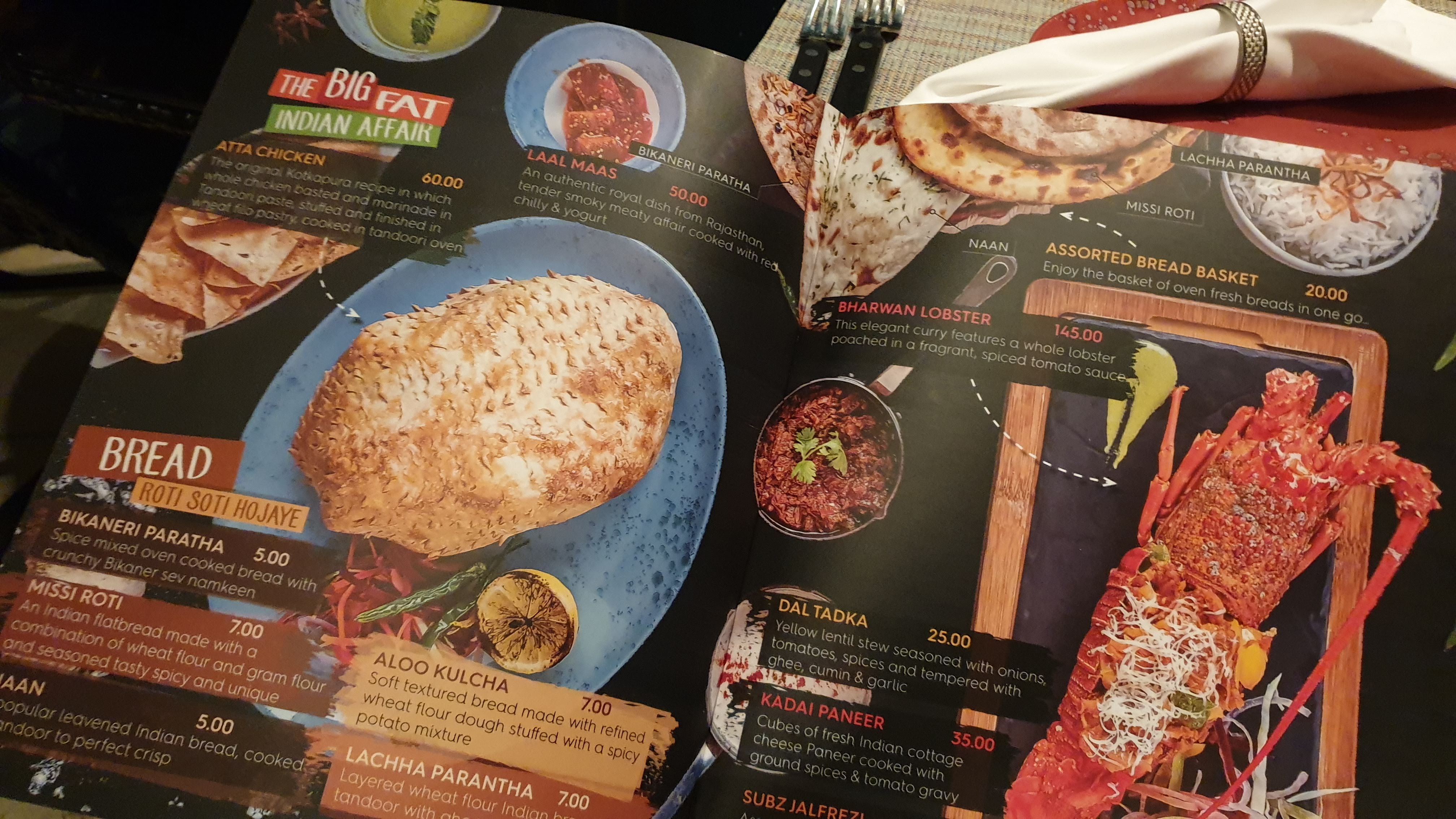
the one attending us describe us the dishes. They have an impressive menu I wish
all restaurants should have one like this (Full style point for this).

From the impressive menu, We tried Pani Puri, Pav Bhaji, Dahi Kebabs & Mutton
Dum Biryani, The food plating was excellent, The food preparation was Ok but it
could be more better.

It's a great place to hang out with friends.
Will definitely visit again to try there Atta Chicken. . #jypsyvloggin.com
Posted in Instagram Buzz

How To Fix Instagram Will Auto Post When Possible Error

Steps

Note- You have to login again to Instagram as we will be doing a reset to Instagram app.

  1. Long press on Instagram app in your screen
  2. On the Pop-up menu choose Instagram App Info option.
  3. On the App Info page look for storage and tap there.
  4. Look for clear cache and Tab there.
  5. Look for clear data and Tab there.
  6. Go back to Instagram and login
  7. You can post to your feed now
Posted in Facebook Buzz

How to stop video auto-play in Facebook app

Step

  • Open Facebook App in your Android device.
  • On the top right corner tab on the “Menu” button 588a64fed06f6719692a2d14
  • Scroll down and look for “Setting & Privacy”, Tap there.
  • Now look for “Settings” and tap there.
  • Scroll down and look for “Media & Contacts”, Tap there.
  • Look for “Auto Play”, Tap there.
  • By default it will be “On mobile date and Wi-Fi Connections” change it to “Never Auto Play Videos”

And you are done.