How to see worldwide trends on twitter
Twerk your trends settings of Twitter for Android
#worldwide #في جميع أنحاء العالم #повсемумиру #世界的に #全世界 #Παγκόσμιος #àl’échellemondiale #wereldwijd #Dünyaçapında #diseluruhdunia #
#विश्वव्यापी
How to enable dark mode on chrome browser in android
One of the most popular trends in software and app updates is the addition of a “dark mode.” If you haven’t tried out the feature, or seen anyone else use it, it basically inverts your screen. A traditionally white screen becomes a dark blue or black, and the text becomes white.
It feels like every app and operating system is racing to launch new dark mode features. For example, Microsoft Outlook, Reddit, YouTube, and Gmail have all added the feature recently. New operating systems like MacOS Mojave and Android Pie are also getting on board.
So what’s got everyone going to the dark side? It turns out there are few benefits to use dark mode. Benefit includes:
- Save battery life
- Decreased eye strain
- Less sleep disruption
- Some medical conditions are less aggravated
How to do get the dark mode on Gmail in your android device
The most popular update for app and software is the new addition of “dark mode” or “night mode” If you haven’t tried the feature yet, It basically inverts your screen from the traditional white screen to a dark blue or black screen, and the text becomes white.
Twitter, YouTube, Reddit, FB Messenger have already the feature available from some time and recently Gmail is testing the feature for Android Pie.
So what’s got everyone going to the dark side? It turns out there are few benefits to use dark mode.
Benefits includes:
- Save battery life
- Decreased eye strain
- Less sleep disruption
- Some medical conditions are less aggravated
How to do yolo on Snapchat from camera roll
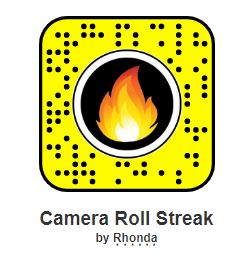
Looking for a way to do yolo in snapchat with a picture from the camera roll, then these are the lens you are looking for.
Temporarily Down

There are two ways you can unlock this lenses for your Snapchat account.
- Open Snapchat on your phone and use the Snapchat camera to view the snapcode image above, and hold your finger on the camera screen to unlock the snapchat lense on your device.
- If you are visiting this page in your mobile device, you can click the direct link above and it will automatically unlock the lense in your Snapchat app.
How to block people from seeing your Snapchat story
Snaps in My Story last for 24-hours before disappearing. You can customize who can see your story. Follow these steps in Snapchat.
- Tap on your profile icon in the top left corner of the screen.
- Tap on the three vertical dots right to My Story.
- You will see a pop-up, Tap on Story Settings.
- You will see three option, Tap on Custom.
- Tap on the People Names you want to block your story for.
- You are done.
How to repost videos on Instagram
To repost on Instagram, find the video or picture you’d like to repost and follow the steps below.
- Go to Play Store and install Repost Video & Photo for Instagram.
- Open your Instagram app and find the post you want to repost.
- Tap on the three vertical dots at the top right corner of the video.
- In the pop-up Tap Copy Link.
- Repost Video & Photo for an Instagram app will pop-up for customizing.
- Choose watermark position and repost the video.
- You are done.
 jypsyvloggin