Category: Instagram Buzz
Instagram has changed quite a bit since it came into the world, Here you can find cool Instagram tips and fix to make your content stand out from the crowd and help you growth. Please watch these tips and fix about Instagram.
How to clear search history in Instagram 2019 update
How to trick female face filter for Instagram
How to trick child face filter for Instagram story
How to do quiz on Instagram story.
Steps
- Open Instagram Stories.
- Record a video, take picture or browse one from your gallery.
- Then tap on the Instagram sticker on the top.
- Look for and select the sticker that reads “QUIZ”
- Write the question at the top of the Quiz sticker, and add multiple choice answer options to the answer columns below.
- Share the Instagram Stories that has been completed with the display of the Quiz sticker.
How to Get Music Sticker on Instagram Story
Its been a while since Instagram Introduced the music stickers to stories, the music stickers are part of Instagram App since version 51 updates, but for now, the feather is available only for this seven countries: Australia, New Zealand, France, Germany, Sweden, UK, and the US.
If you have friends in these countries, you might be seeing this notification in there stories “Instagram music isn’t available in your region”.
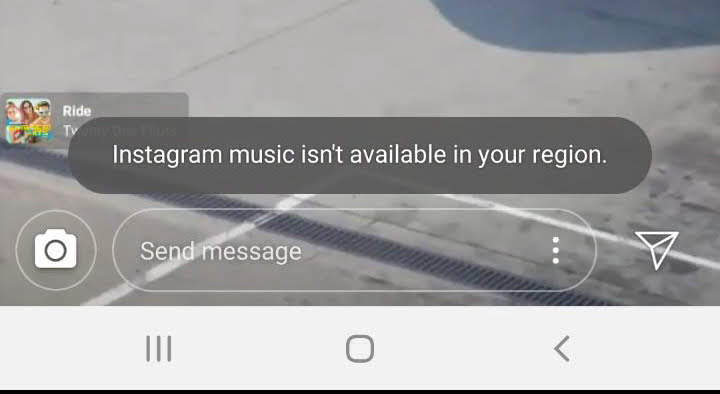
This is because Instagram needs a license to play music due to copyright infringement or piracy issues. In the regions where the feature is still not available, there are a number of legal procedures that have to be taken care of by Instagram as there is no global law for copyright and piracy. It may take some time for the feature to be available on a global scale.
So the question now is, can you use this feature if it’s not available in your region. The answer is off course you can use it as this fetcher is part of the App after the version 51 update. You just need to download a VPN app in your mobile device and you can choose a server from those countries. Problem Solved.
How To Fix Instagram Will Auto Post When Possible Error
Steps
Note- You have to login again to Instagram as we will be doing a reset to Instagram app.
- Long press on Instagram app in your screen
- On the Pop-up menu choose Instagram App Info option.
- On the App Info page look for storage and tap there.
- Look for clear cache and Tab there.
- Look for clear data and Tab there.
- Go back to Instagram and login
- You can post to your feed now
How to check if someone follows you back on Instagram
via IFTTT
How to like a direct message on Instagram
via IFTTT
How to Pause Notification on Instagram
Steps
- Open your Instagram App
- Top right corner of your screen tab the menu option
- Bottom of the menu page you will see “settings”, tab there.
- Find “notifications” option and tab there.
- Find “Pause” and tab on enable.
- On the pop-up screen tab on the time duration you want.
And we are done.
 jypsyvloggin